* 語音合成 Speech Synthesize Note
https://irw.ncut.edu.tw/peterju/speech.html
* Festival Note
https://irw.ncut.edu.tw/peterju/festival.html
2020年10月15日 星期四
[Audio] 語音合成(舊資料)

2020年5月10日 星期日
2019年5月8日 星期三
[Audio] echo cancellation
被歧視了 QQ
http://wiki.seeedstudio.com/ReSpeaker_2_Mics_Pi_HAT/
https://github.com/respeaker/mic_hat
https://github.com/voice-engine/voice-engine
https://github.com/Kitt-AI/snowboy
還沒解決,但參考這幾篇想想看
https://tinkerboarding.co.uk/wiki/index.php/Google-Assistant-SDK
http://lac.linuxaudio.org/2013/download/slides.pdf
https://gist.github.com/aflaxman/6300595
=> https://github.com/respeaker/respeaker_for_raspberrypi
順便看一下 alsa 的 config 意義
http://www.sabi.co.uk/Cfg/ALSA/asound_simple.conf
ReSpeaker 的設定參考
https://github.com/wzpan/dingdang-robot/wiki/respeaker-2-mics-pi-hat
http://wiki.seeedstudio.com/ReSpeaker_2_Mics_Pi_HAT/
https://github.com/respeaker/mic_hat
https://github.com/voice-engine/voice-engine
https://github.com/Kitt-AI/snowboy
還沒解決,但參考這幾篇想想看
https://tinkerboarding.co.uk/wiki/index.php/Google-Assistant-SDK
http://lac.linuxaudio.org/2013/download/slides.pdf
https://gist.github.com/aflaxman/6300595
=> https://github.com/respeaker/respeaker_for_raspberrypi
順便看一下 alsa 的 config 意義
http://www.sabi.co.uk/Cfg/ALSA/asound_simple.conf
ReSpeaker 的設定參考
https://github.com/wzpan/dingdang-robot/wiki/respeaker-2-mics-pi-hat
2019年4月14日 星期日
[Audio] 指定聲音消除黑科技
找 echo cancellation 找到這篇
https://www.raspberrypi.org/forums/viewtopic.php?t=232444
很有趣的 demo 影片
https://looking-to-listen.github.io/
https://www.raspberrypi.org/forums/viewtopic.php?t=232444
很有趣的 demo 影片
https://looking-to-listen.github.io/
2018年6月18日 星期一
[Audio] Linux Audio 介紹與整理
Linux Audio 介紹與整理
https://github.com/robbie-cao/kb-audio/blob/master/README.md
2018年2月11日 星期日
[Audio] ReSpeaker 2-MIC HAT .asoundrc 設定
原本是寫這樣
改成這樣就可以了
但是使用以後會發現 google assistant 講話速度過快,這是因為
所以最後參考官方提供的範例就可以了
https://www.seeed.cc/topic_detail.html?id=12221
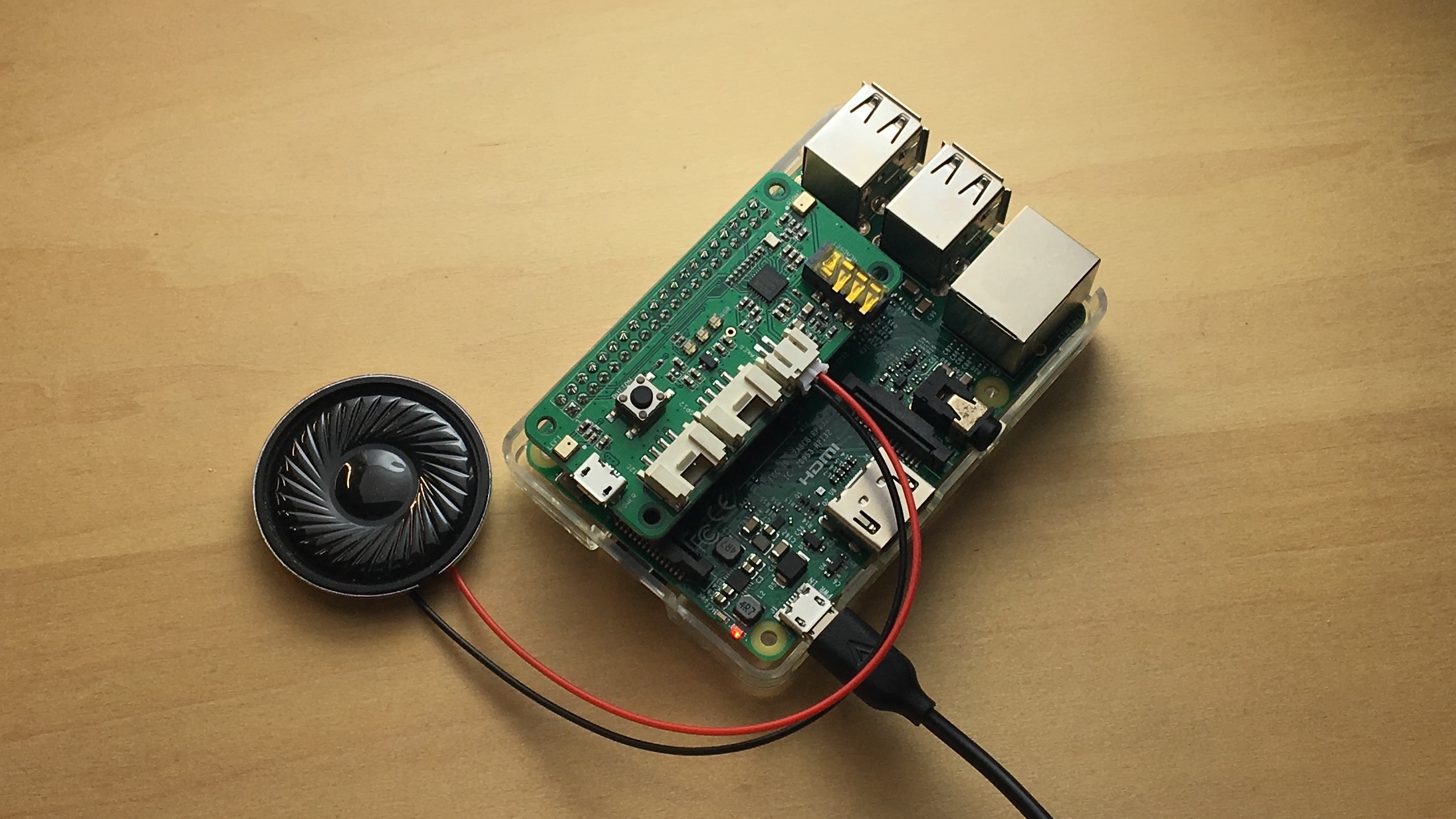
最近發現如果要使用喇叭單體的話,要這樣接和設定
pcm.!default {
 type hw
 card 1
}
ctl.!default {
  type hw
  card 1
}
改成這樣就可以了
pcm.!default {
        type asym
        playback.pcm {
            type plug
            slave.pcm "hw:1,0"
        }
        capture.pcm {
            type plug
            slave.pcm "hw:1,0"
        }
}

ctl.!default {
        type hw
        card 0
}但是使用以後會發現 google assistant 講話速度過快,這是因為
pcm.!default {
        type plug
        slave.pcm {
                type hw
                card 1
                format S16_LE
                rate 16000
        }
}

ctl.!default {
        type hw
        card 1
}
所以最後參考官方提供的範例就可以了
https://www.seeed.cc/topic_detail.html?id=12221
最近發現如果要使用喇叭單體的話,要這樣接和設定
pcm.!default {
  type asym
  capture.pcm "mic"
  playback.pcm "speaker"
}
pcm.mic {
  type plug
  slave {
    pcm "hw:1,0"
  }
}
pcm.speaker {
  type plug
  slave {
    pcm "hw:1,0"
  }
}
訂閱:
文章 (Atom)